How to Create an Invoice Like a Pro – Free Template + Net 30 Tips
How to create an invoice might sound like a basic task—but if you’re a freelancer, small business owner, or contractor, your invoice is often your last impression. It’s not just a document; it’s your brand, your terms, your cash flow lifeline.
So, how do you turn a plain invoice into a powerful business tool? Is it better to use a template or build one from scratch? Should you include Net 30 terms or charge late fees? And where do tools like PayPal or Google Docs fit into this? These are the kinds of questions that plague professionals looking to polish their payment process. In this article, we’ll simplify everything for you—while offering a free invoice template to make things even easier.
Check out this comparison of PayPal business vs personal accounts if you’re using PayPal for invoicing.
Let’s dive in and learn how to create an invoice that’s both professional and practical.

Understanding the Purpose of an Invoice
What Is an Invoice and Why Is It Important?
An invoice is a formal request for payment sent by a seller to a buyer. It outlines what was sold, when, and for how much. But more than that, it’s a legal record that ensures clarity between both parties and helps with bookkeeping.
The Legal and Financial Significance
Invoices serve as crucial documentation for audits, tax filing, and accounting. Failing to issue proper invoices can create compliance issues and complicate your cash flow management.
What to Include in an Invoice
Key Elements Every Invoice Should Contain
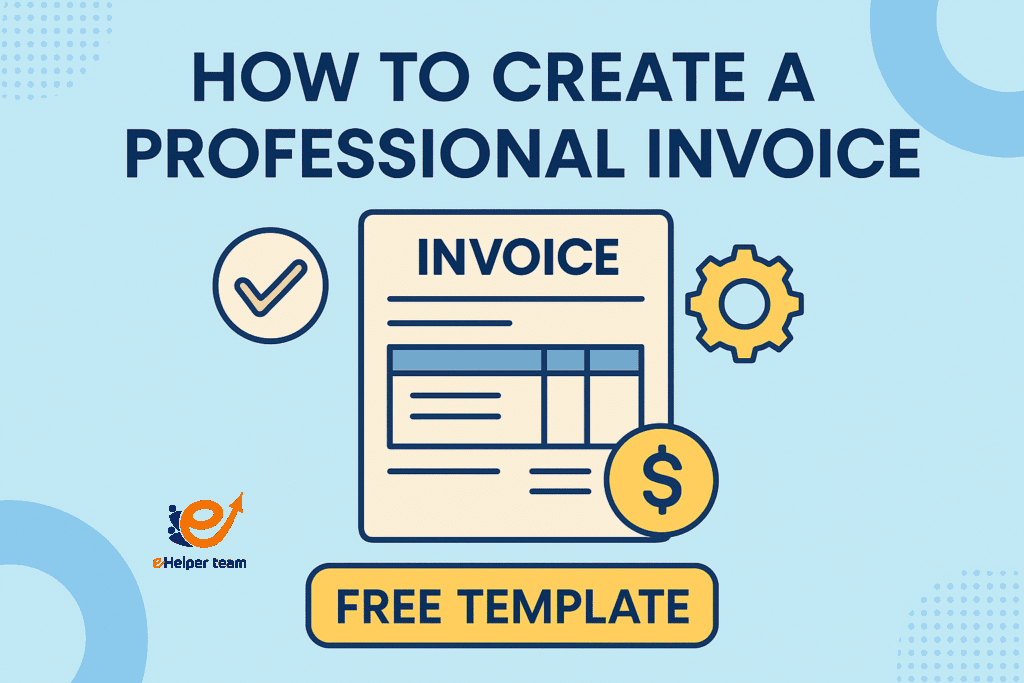
Wondering what to include in an invoice? Here’s a checklist:
Invoice number
Your business name and contact details
Client’s name and billing address
Date of issue and due date
Description of goods/services
Quantity and price
Subtotal, tax, and total amount due
Payment terms (e.g., Net 30)
Notes or instructions (e.g., “Thank you for your business!”)
Customization for Different Business Types
Different industries may need to add unique elements—consultants might list hours worked, while product sellers may add SKU numbers. Always tailor your invoice to your work.
How to Create an Invoice
1.Using Word or Google Docs Templates
Using a template can save time and ensure your invoice looks professional. Free options like invoice template Word/Google Docs are easy to customize.
2.Online Tools for Invoice Creation
There are also platforms like:
Wave (free and feature-rich)
Zoho Invoice
PayPal’s built-in invoice generator (sign up here)
Each offers formatting, tracking, and payment integration.
Manual vs Automated Invoicing: Pros and Cons
| Method | Pros | Cons |
|---|---|---|
| Manual | Full control, no subscription | Time-consuming, error-prone |
| Automated | Faster, scalable, includes tracking | Monthly costs, learning curve |
Free Invoice Template Options
Downloadable Templates in Word & Google Docs
We’ve created a free invoice template you can download in Word or Google Docs format. Just plug in your details and you’re ready to bill.
Customizable Fields to Tailor Your Template
Key fields to adjust:
Logo and branding
Tax rates and local currency
Payment methods
These small tweaks make your invoice more effective and professional.
Setting Up Payment Terms and Conditions
Defining Net 30, Net 15, and Other Payment Terms
“Net 30” means payment is due within 30 days of the invoice date. It’s standard practice but you can adjust based on your business:
Net 15 for quicker payments
Net 60 for long-term clients
“Due on receipt” for immediate service businesses
How to Protect Yourself Against Late Payments
Include clear due dates
Add late fees after a grace period
Use reminders and automatic follow-ups
Sending Your Invoice Professionally
Email vs Platform-Based Invoicing
Emailing a PDF is still common, but platforms like QuickBooks or PayPal make tracking and follow-up easier. They also allow payment links embedded within the invoice.
Best Practices for Timely Payment
Use polite but firm language
Always confirm the billing contact
Follow up consistently
Common Mistakes to Avoid in Invoice Creation
Missing Information
Even small omissions (like an invoice number or due date) can delay payments or confuse clients.
Overcomplicating the Design
Simple and clean designs work best. Too many colors, fonts, or graphics can look unprofessional.
Benefits of Professional Invoicing
1.Improving Cash Flow
Invoices are not just formalities—they’re critical tools that drive your revenue. Well-timed and well-formatted invoices help maintain a steady income stream.
2.Enhancing Business Reputation
Professional invoices signal that you’re serious, reliable, and organized. This builds trust and credibility with clients.
PayPal and Digital Invoicing Alternatives
PayPal is a go-to solution for many small businesses. It allows you to create, send, and manage invoices with ease. But is it right for everyone?
There are other tools too—Stripe, Square, and even some banks now offer digital invoicing built into their platforms.
To learn how invoicing fits into broader money-making strategies, here’s a guide to 10 micro skills for online income.
Crafting Invoices That Reflect Your Brand Identity
When learning how to create an invoice, don’t overlook design—it’s more than just formatting; it’s part of your brand communication. A professional-looking invoice reinforces your business image and helps build trust with clients.
Here’s how to design an invoice that represents your brand:
Use colors that match your brand’s palette (same as your website or logo).
Insert your company logo prominently at the top.
Choose a clear, readable font that reflects your business tone.
Keep the layout clean and uncluttered to ensure readability.
Add a personal note at the bottom (e.g., “Thank you for your business!” or “Looking forward to working together again”).
Every invoice you send is a touchpoint—make it count.
How to Create an Invoice That Gets Paid Faster
Knowing how to create an invoice is one part of the equation; getting paid on time is the other. Strategic formatting and clarity can significantly improve your payment turnaround.
Tips to make sure your invoice gets paid faster:
Clearly explain payment terms (e.g., “Net 30 – Payment due between August 1 and August 31”).
Offer multiple payment methods, including bank transfer, PayPal, or online payment links.
Include embedded payment options or QR codes to simplify the process.
Automate follow-ups using tools like QuickBooks, FreshBooks, or PayPal.
Confirm you have the right billing contact and email address before sending.
To explore payment platforms further, check this quick PayPal setup guide to get started.
What to Do After Sending an Invoice
Creating the invoice is just the beginning—what you do after sending it can greatly influence whether (and when) you get paid. If you’re wondering how to create an invoice that also builds professional client relationships, the post-invoice strategy is just as important as the document itself.
Here’s what you should do once your invoice is sent:
Track the invoice status—use invoicing tools that notify you when it’s opened.
Send polite reminders a few days before and after the due date (many platforms automate this).
Maintain a payment log to track who paid and when, which helps with follow-up and accounting.
Avoid emotional language; keep your tone professional in all reminders and communications.
Offer support if the client has payment issues—flexibility can lead to long-term trust.
If you’re looking to level up your online income strategy as a whole (beyond invoicing), this list of 10 proven micro skills is a great place to start.
FAQs
Q1: What should be included in an invoice?
A complete invoice should include your business info, client info, unique invoice number, itemized services or products, total due, payment terms, and any notes.
Q2: What is Net 30 payment term?
Net 30 means your client has 30 days from the invoice date to make a payment. It’s commonly used in B2B services.
Q3: Can I use Google Docs to create invoices?
Yes, Google Docs is a great free tool to create and share customizable invoice templates.
Q4: Is PayPal a good invoicing platform?
Yes, PayPal offers invoicing features ideal for freelancers and small businesses, especially if you already use it to receive payments.
Q5: How often should I send invoices?
This depends on your business. Some invoice per project, while others do it weekly or monthly. Always be consistent.
Final Thoughts on Professional Invoicing
Learning how to create an invoice isn’t just about filling in blanks—it’s about representing your brand, managing cash flow, and streamlining communication with clients. Whether you’re using Word templates, Google Docs, or platforms like PayPal, making invoicing a priority can take your professionalism to the next level.